Emmy-winning virtual presence consulting

Look like you belong on air.

We're broadcast professionals with three decades behind network cameras. We make you the most credible person on every Zoom and Teams call — refining your lighting, framing, sound, and background, often with the gear you already own.
30+Years in network television
EmmyAward-winning broadcast work
1 sessionTo transform your presence
Before: a video-call capture of a man in glasses and a navy t-shirt in flat light, with a crowded bookcase and framed photos behind him. After: the same man, evenly lit, in front of a concrete-wall virtual background with a plant and a lounge chair. BeforeAfter · virtual background
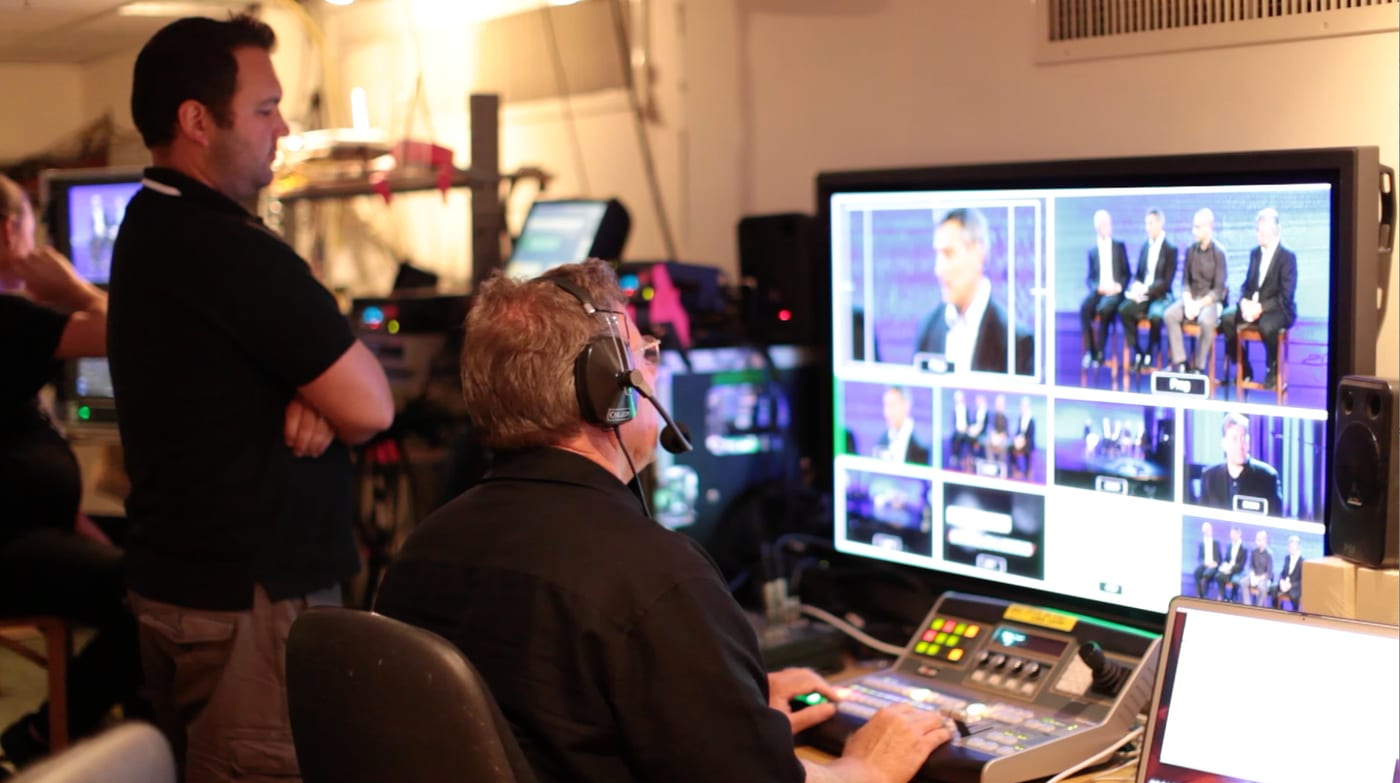
The Zoom Presence Pro CEO at the switcher in a live broadcast control room, wearing a headset and directing the show, with a wall of camera monitors in front of him.
Zoom Presence Pro’s CEO directing and technical-directing a live event.
Why it works

Three decades behind the camera. Now pointed at yours.

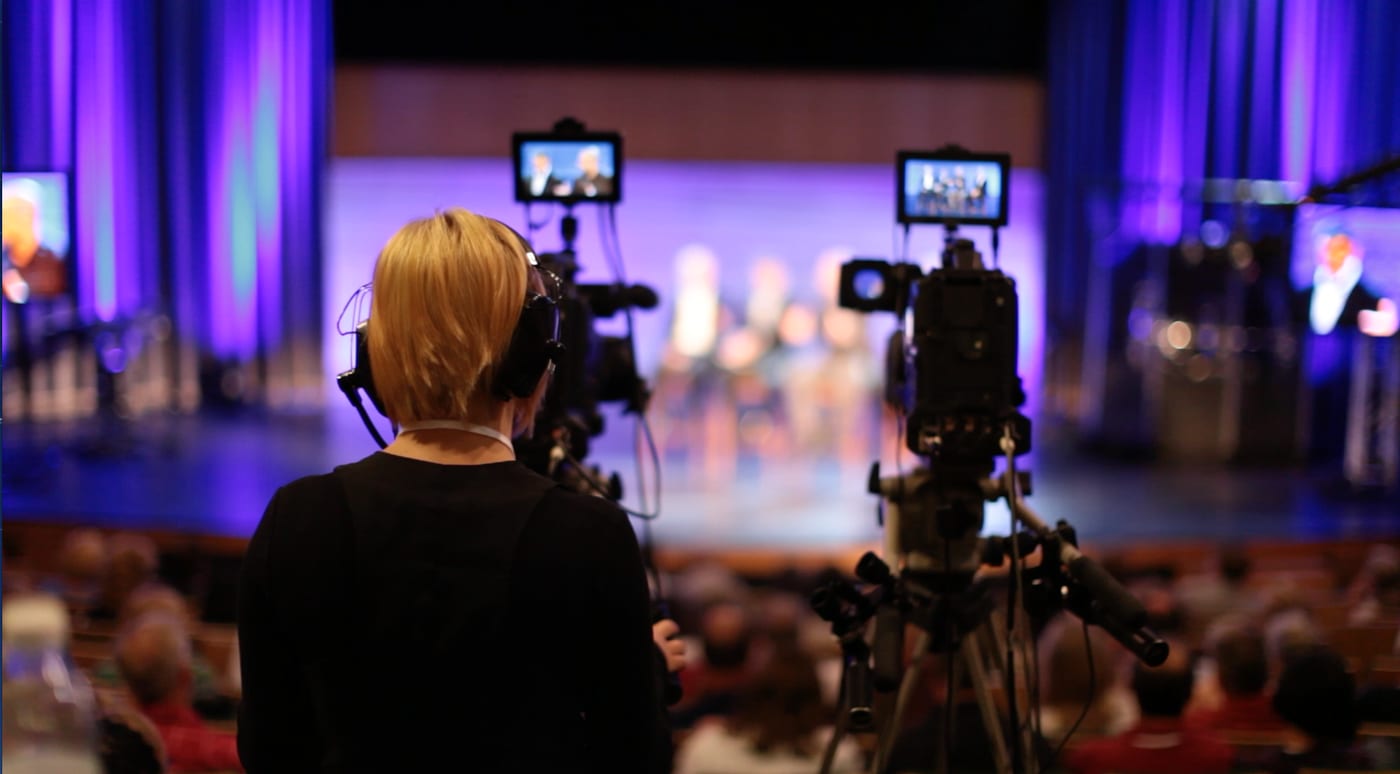
People decide whether to trust you visually — before they've fully processed a word you say. We've spent careers in network television, live production, and photojournalism making sure the person on screen commands the room.

We bring that same broadcast eye to your everyday space. No studio required — just expert judgment on the lighting, angle, sound, and background that are quietly working against you.

Network TVNBC, ABC, Fox Sports West, MTV
Live & filmHigh-profile productions
San DiegoRemote & on-site
What we optimize

Four things stand between you and a commanding presence.

We assess your real space on a live call and refine each one — practical adjustments first, purchases only if they genuinely help.

Lighting

Flattering key and fill that shape your face — no more flat overhead glare or heavy shadows.

Framing

Camera height, distance, and angle set so you look composed, confident, and eye-to-eye.

Sound

Clear, distraction-free audio — echo, hum, and hollow mic tone eliminated so you're easy to listen to.

Background

A tidy, intentional backdrop that supports your message instead of competing with it.

Real spaces, real transformations

Same person. Same room. One consultation.

No staged studio. Follow a real office from the first photo to a finished call, then slide through a home setup. Nothing here was retouched.

Chapter one

The office

Original captures. Nothing retouched.

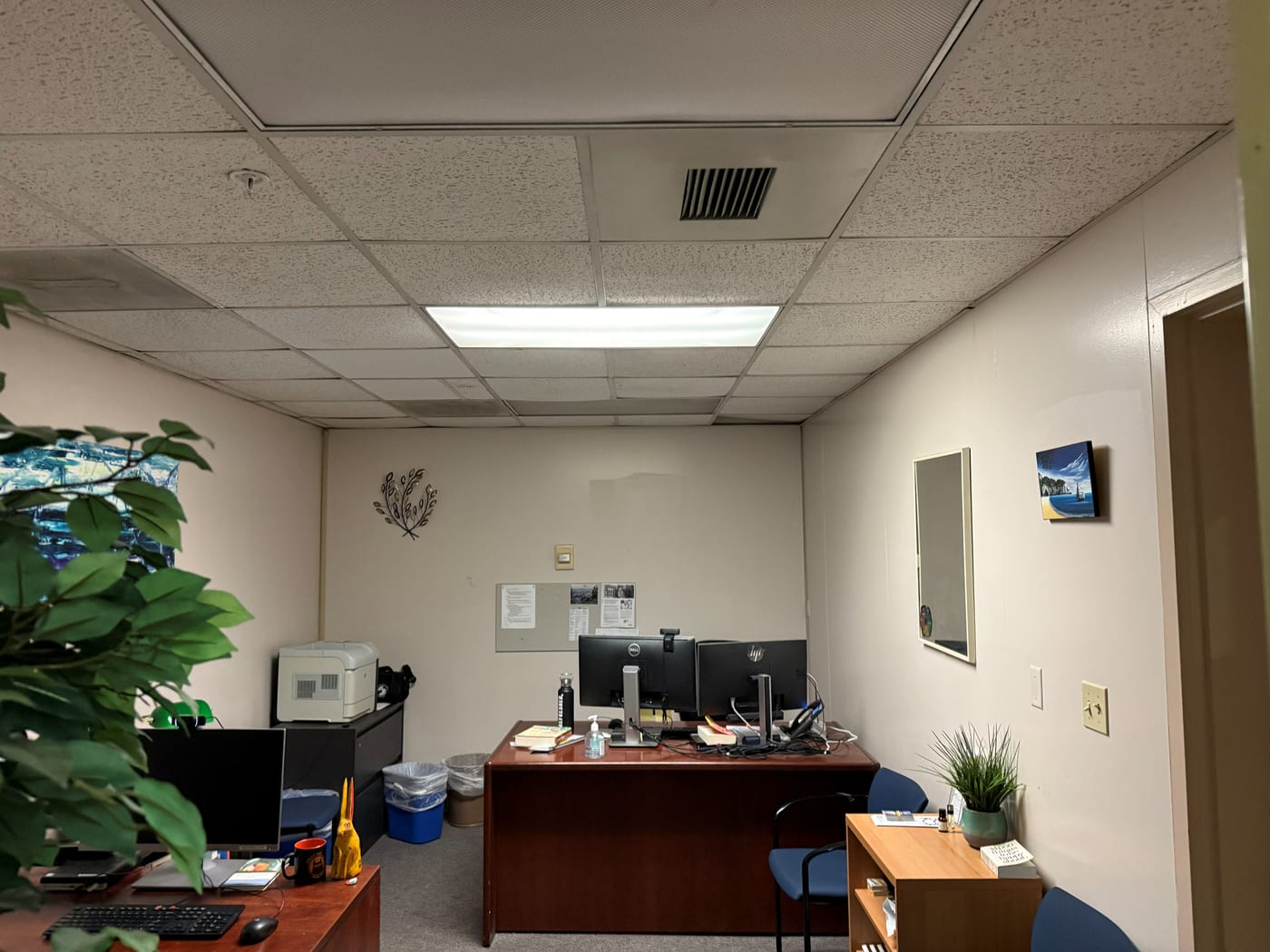
  1. A wide photo of a plain workplace office: a fluorescent ceiling panel, bare beige walls, and a desk with two monitors against the back wall. Original phone photo
    Frame 1 of 4 · The space

    The office, exactly as it is.

    One fluorescent panel overhead, bare beige walls, a desk set against the back wall. Nothing here was arranged for a camera.
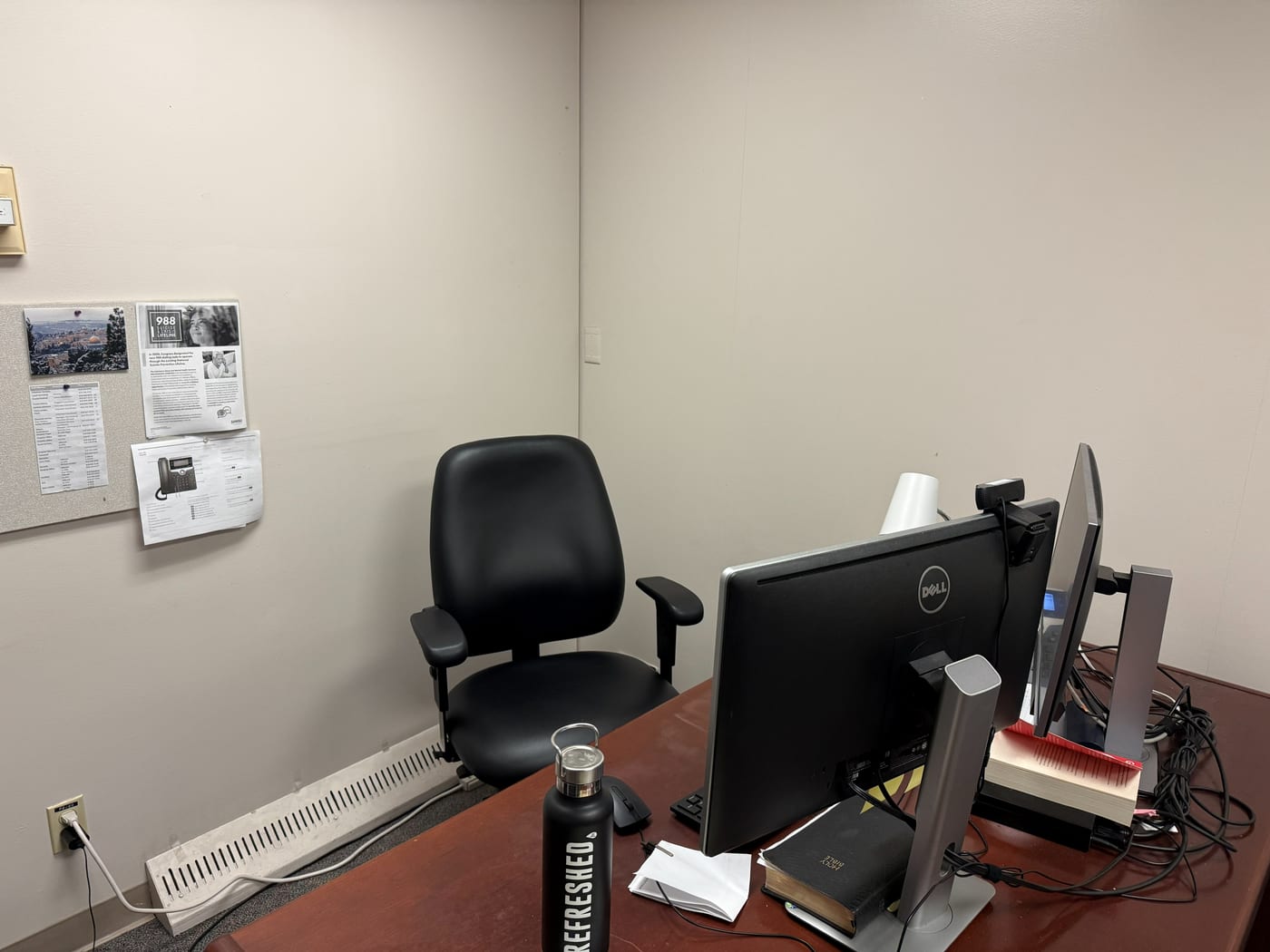
  2. A close photo of the corner where video calls happen: an office chair against a blank wall, a bulletin board of papers, and a webcam clipped to a monitor. Original phone photo
    Frame 2 of 4 · The camera's corner

    Where the call actually happens.

    A webcam clipped to the monitor, a blank wall behind the chair, and a bulletin board just over the shoulder. This is everything the camera has to work with.
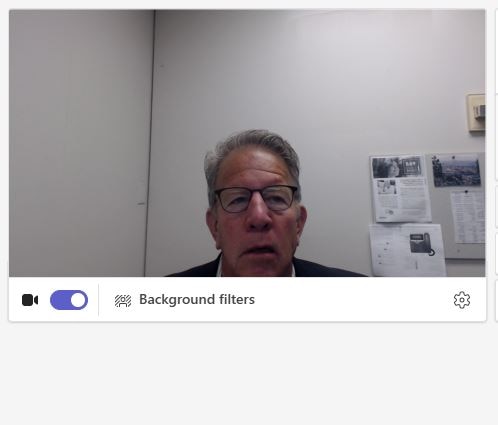
  3. Before: a Microsoft Teams preview showing a man in glasses under flat light, in front of a washed-out wall with papers pinned behind him. Teams screen capture
    Frame 3 of 4 · Before

    What the camera sees.

    The Teams preview from that chair, before any changes: flat overhead light, a washed-out wall, papers pinned behind him, and a face with no shape to it.
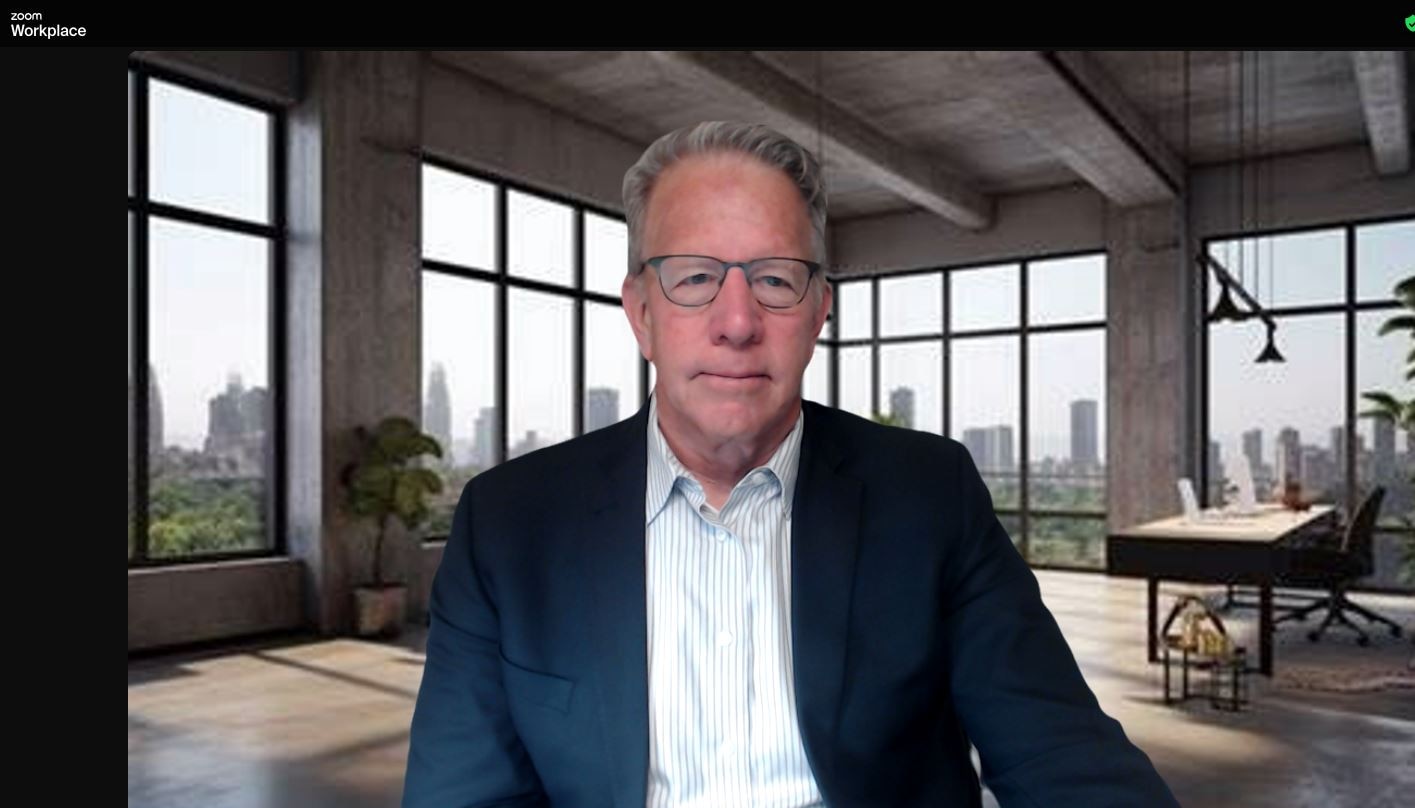
  4. After: a Zoom call showing the same man in a navy blazer, evenly lit, in front of a modern loft background with tall windows. Zoom screen capture · virtual background
    Frame 4 of 4 · After

    Same office. Same camera. Camera-ready.

    After the consultation: balanced light on the face and a confident frame, the changes that matter most. A virtual background is an optional extra, and this call uses one in place of the bulletin board. It is a live-call capture, and nothing was retouched afterward.

Frames 1 and 2 are straight from a phone. Frames 3 and 4 are captures from real calls, cropped only to remove a name from the screen. Each was prepared for the web with no edits to color or content.

Chapter two

The home space

Original captures. Nothing retouched.

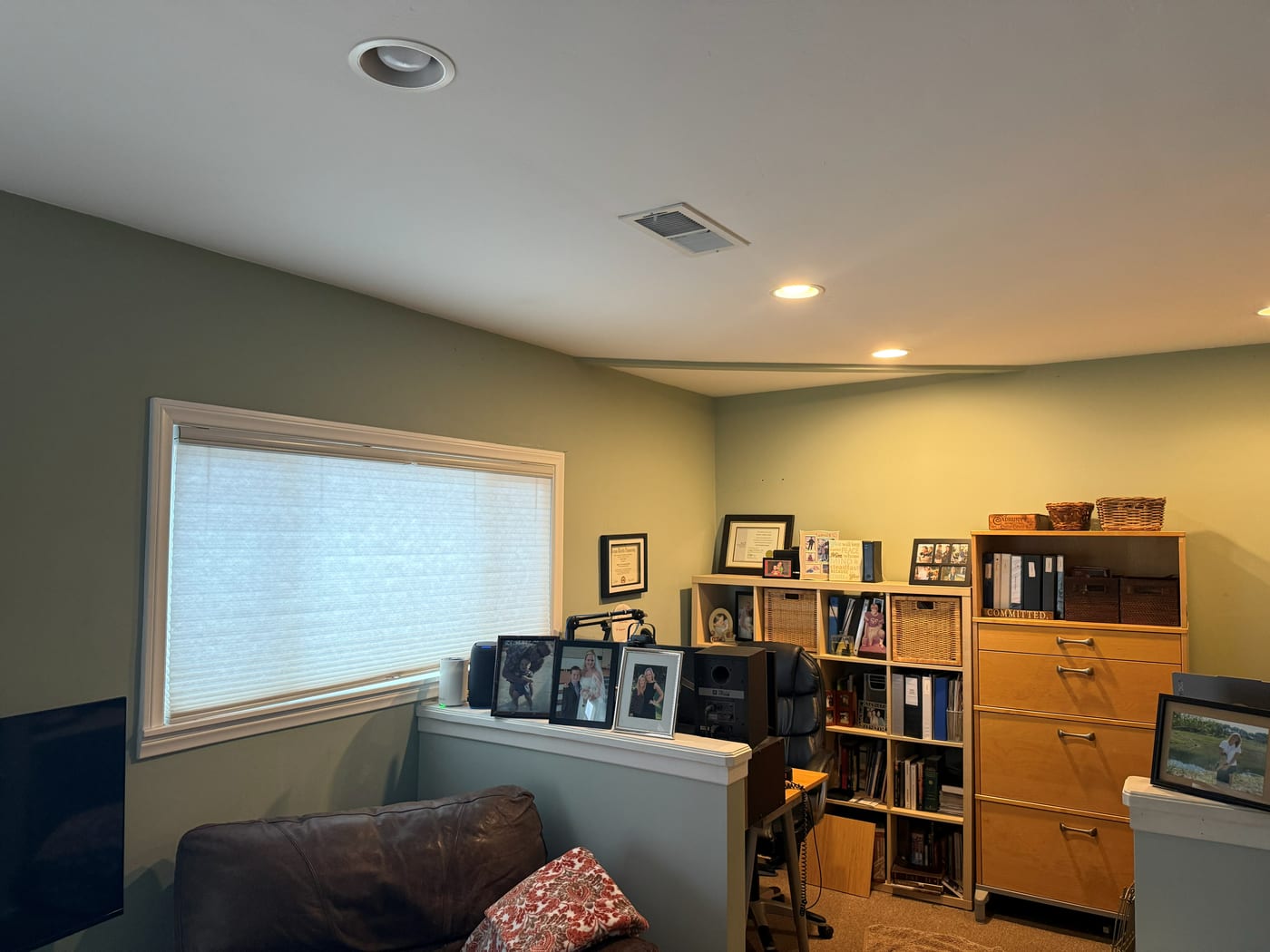
  1. A wide photo of a home office: green walls, a large window with the blind down, a leather sofa, and bookshelves along the back wall. Original phone photo
    Frame 1 of 4 · The space

    The home office, exactly as it is.

    A bright room with a big window, recessed ceiling lights, a leather sofa, and bookshelves along the back. Nothing here was arranged for a camera.
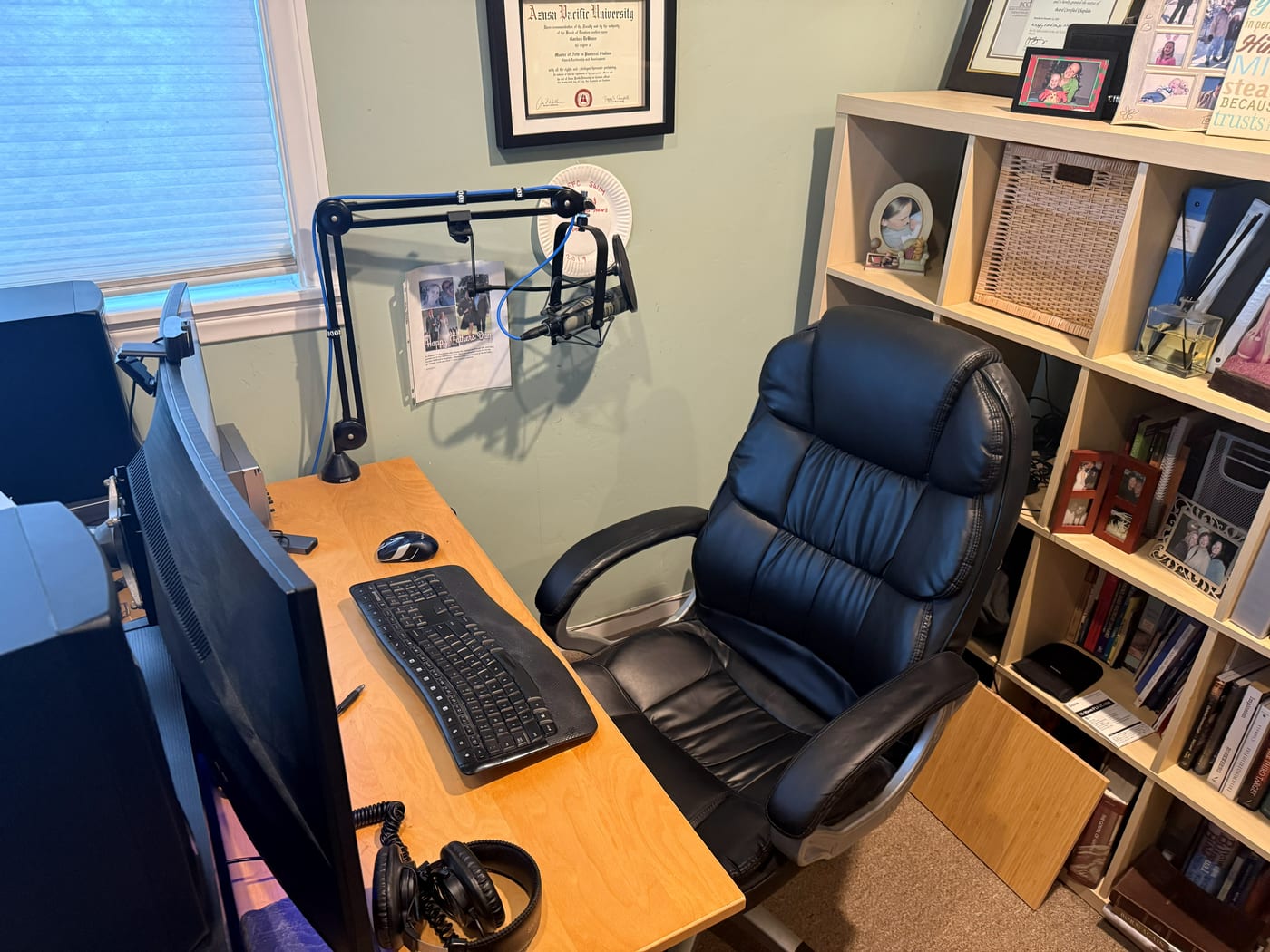
  2. A close photo of the desk where calls happen: a boom microphone arm, monitors, a keyboard, a large leather chair, and a crowded bookcase beside it. Original phone photo
    Frame 2 of 4 · The camera's corner

    Where the call actually happens.

    A desk with a boom mic and monitors, a big leather chair, and a packed bookcase right behind it. This is everything the camera has to work with.
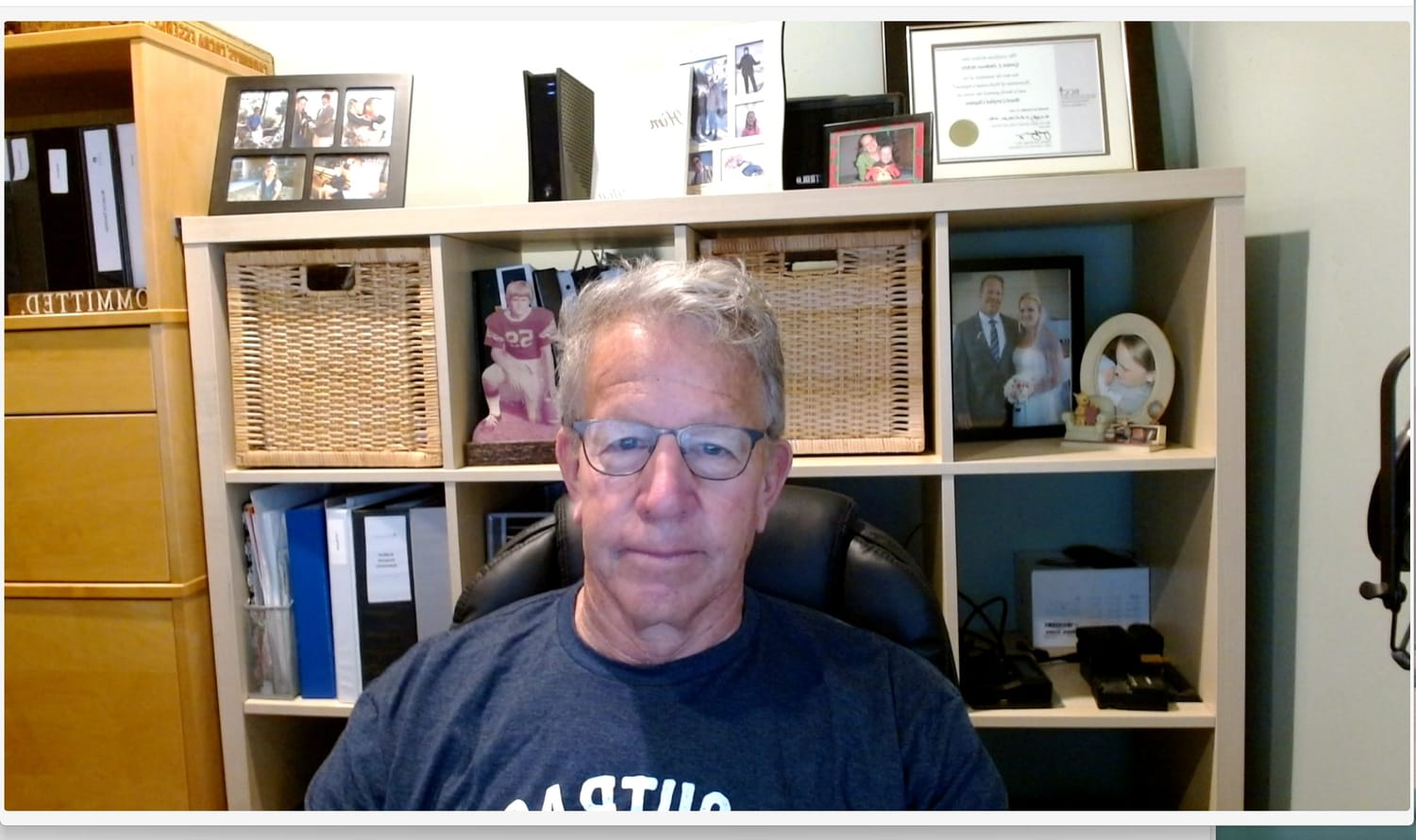
  3. Before: a video-call capture of a man in glasses and a navy t-shirt in flat light, with a crowded bookcase and framed photos filling the background. Video-call capture
    Frame 3 of 4 · Before

    What the camera sees.

    The view from that chair, before any changes: flat light with no depth, and a crowded bookcase fighting for attention behind him.
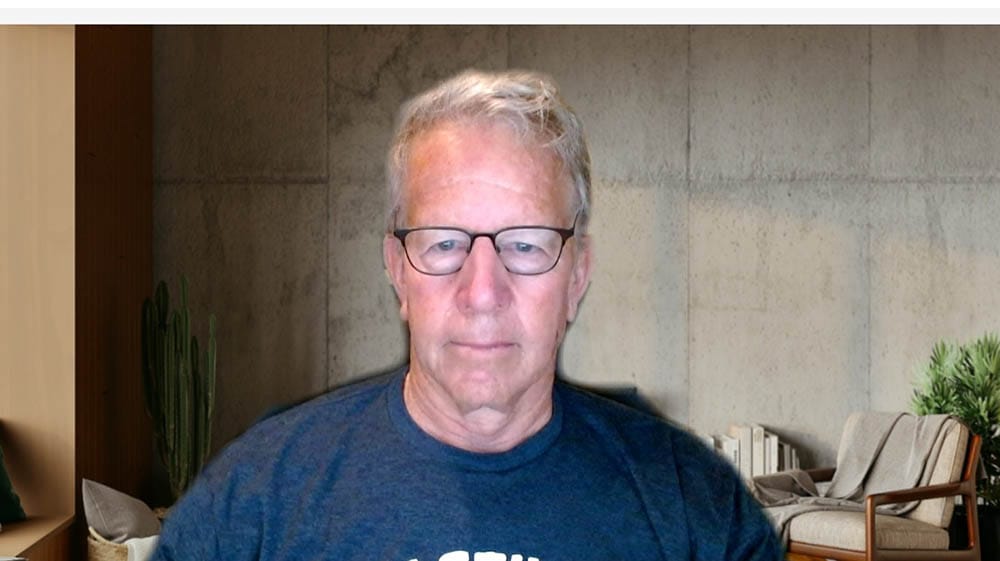
  4. After: the same man in a video call, evenly lit, in front of a concrete-wall virtual background with a plant and a lounge chair. Video-call capture · virtual background
    Frame 4 of 4 · After

    Same room. Same camera. Camera-ready.

    After the consultation: balanced light on the face and a clean frame, the changes that matter most. A virtual background is an optional extra, and this call uses one in place of the bookcase. It is a live-call capture, and nothing was retouched afterward.

Frames 1 and 2 are straight from a phone. Frames 3 and 4 are captures from real calls. Each was prepared for the web (resized or compressed where needed) with no edits to color or content.

The real you

AI can touch up a video. It can't help you live.

Beauty filters, virtual backgrounds, and AI enhancers can polish a recording. But the conversations that move your career happen live — unscripted, in real time, with no second take.

The moment you lean in, reach for a note, or the light changes, the illusion cracks — backgrounds clip your hands, the effect turns uncanny, and people can tell. A look that's obviously faked quietly costs you the credibility you were trying to build.

A filter or AI touch-up

  • Polished — until you move
  • Backgrounds swallow hands and edges
  • Can glitch at the worst moment
  • A mask that can slip — people can tell

A real consultation

  • Looks right in the real room, before any filter
  • Works live, unscripted, every time
  • One-time fix, every platform
  • Nothing to hide, nothing to maintain

A virtual background can be a handy extra when a room can't be tidied. It's a finishing touch, never the fix: the light, the frame, and the sound are what we correct for real, so you look right with or without one.

It isn't a different you. It's you, at your best — and it holds up when it counts.

How it works

It starts with a photo of your workspace.

Send us a snapshot of your setup as it looks on camera today. From there, we take it through a simple, one-session process.

01

Share a photo

Upload a picture of your workspace below — exactly what your webcam sees right now. It takes ten seconds.

02

Evaluate

A free 15-minute video call. We see what your audience sees and pinpoint what's holding your presence back.

03

Consult

Live, hands-on guidance for your real room — lighting, camera, sound, and background adjusted while you watch.

04

Transform

You leave with a repeatable, broadcast-grade setup you can trust for every meeting that matters.

“
Zoom Presence Pro completely transformed my tight office into a professional, polished setup. The improvement in lighting, camera angles, and sound was amazing — without costly equipment. Now I feel confident on every call.

Larry Dominguez Principal Ecologist — EcoAssets Environmental, LLC
Simple, one-time pricing

Start free. Upgrade only if it's worth it.

Free evaluation
$0

15-minute video call

  • Honest feedback on lighting, sound & framing
  • See the difference expert eyes make
  • No obligation
Book it
Home office
$175 one-time

Full single-location consult

  • Complete lighting, background & sound assessment
  • Frame & composition optimization
  • Personalized gear recommendations
Choose plan
Two locations
$250 one-time

Home & office, consistent everywhere

  • Everything in Home Office
  • Second location fully set up
  • Consistent look across both spaces
Choose plan
It's transformation time

Your next call could be your best one.

Book a free 15-minute evaluation. We'll show you — live — exactly how much better you can look and sound.